
Mar. 21 2024
Before you start
Find your unique identifiers
Registration
First, visit the MétaMusique registration page by clicking HERE
Provide basic information (name, first name, email) and then select your role from the list below:
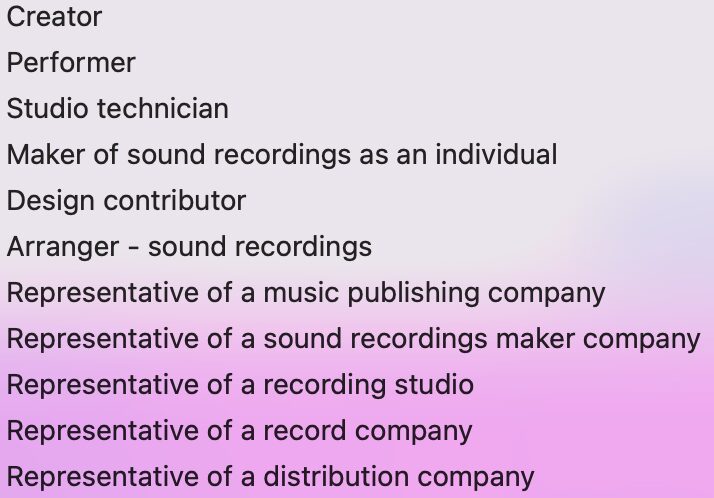
Note: if you have multiple roles (personal or business-related), you will be able to add them after your registration.
You will receive an email to confirm the creation of your account. Please check your spam emails.
Define your roles
Once your MétaMusique account is created, go to the main menu in the My Profile section.
If you want to add an individual role (e.g., songwriter, performing artist, studio technician, etc.), click on: Participants and roles.
If you want to add a role you hold within a company (incorporated or just registered), regardless of your status in the organization, click on: Companies and roles.
At the bottom of the page, click on your name.
You will access your user profile.
At the top of the page, find the list of your roles.
To add a role, click on “Add a role.”
Roles that require a unique identifier
IPI: Author, composer, songwriter, arranger, adapter, translator, publisher, sub-publisher.
IPN: Performing artist.
ISNI: Individual producer, Performing artist, Sub-publisher, Publisher, Translator, Adapter, Arranger, Songwriter, Composer, Author.
Note: If you don’t know your ISNI number, you can check it during your registration. If you don’t have one, MétaMusique can assign you one for free.
Depending on your affiliations, you may need to provide your membership numbers associated with your collective management organizations (SOCAN, SOPROQ, Artisti, etc.)